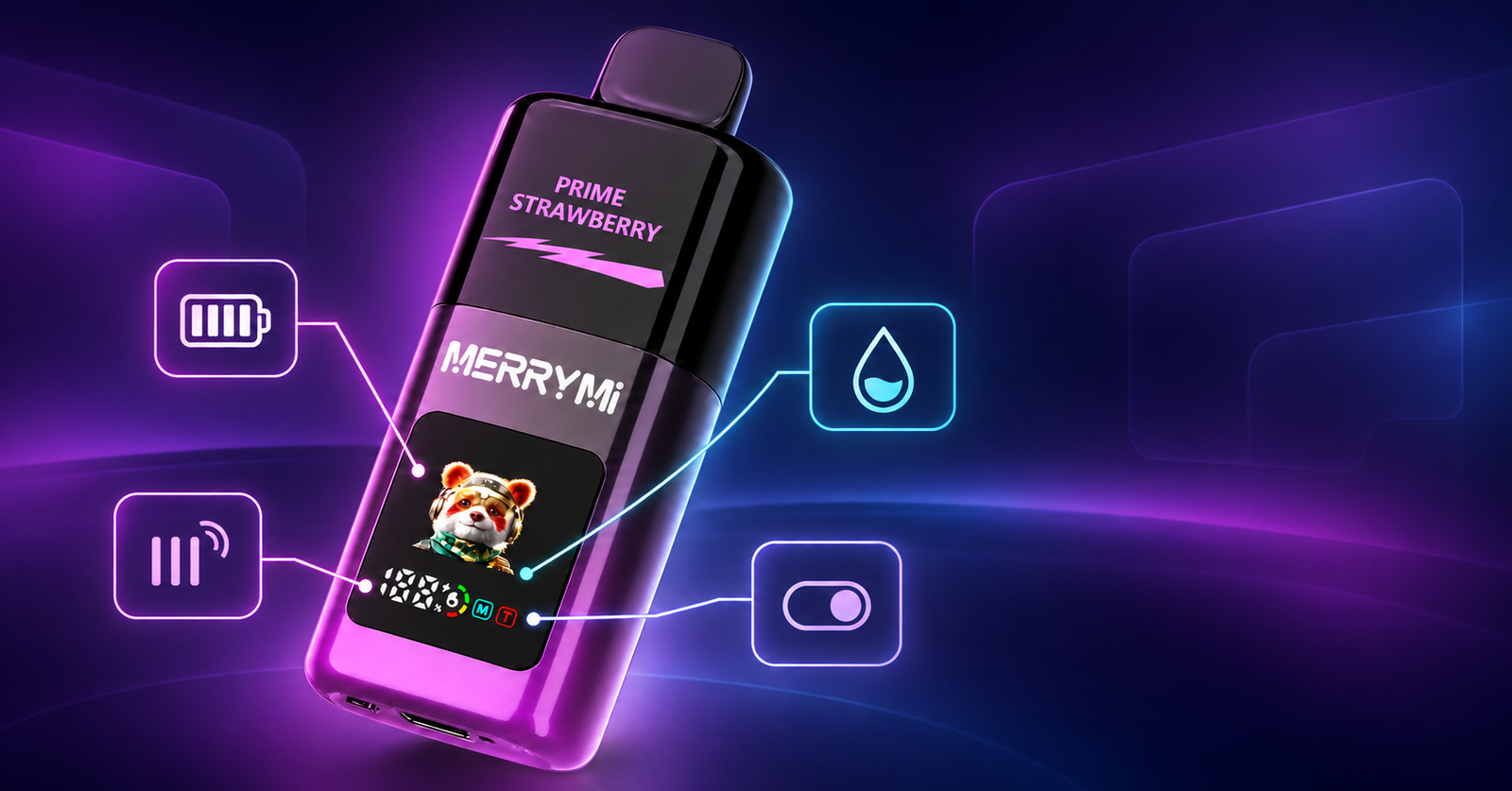
A modern vape display tells you a surprising amount with a handful of small symbols. The battery icon, the liquid level, the mode indicator and the puff counter all appear on screen, but they do not look or behave the same way on every model. This guide explains the icons you are most likely to see, so that you can tell when to charge, when the e-liquid has run out, and what the mode on screen actually means.
One rule sits above everything else: the specific model’s own markings and instructions come first. The same symbol can have a slightly different job on two different devices.
What a vape display can show you
Not every device shows the same information. A simple LED may only indicate the charge level, often as a single light or a short colour sequence. A larger screen can give a separate icon or a percentage figure for each of the following:
- Battery: how much charge is left in the cell.
- E-liquid: an estimate of how much liquid remains in the tank.
- Mode: the setting the device is running in, such as Normal, Turbo, Boost, Eco, MTL or DTL.
- Puff counter: the number of puffs the device has recorded, either since it was made or during the current session.
Some screens combine these into a single row of icons; others show a percentage for the battery and a bar for the liquid. None of them are laboratory instruments, and all of them are there to help you plan, not to give you an exact measurement.
The battery icon: what it means and when to charge
The battery indicator normally appears as a cell divided into segments or as a percentage. As the segments disappear, you are getting closer to the point where the device needs charging. When the display shows an empty battery, a flashing battery symbol or a very low percentage, connect the device using the charging cable specified by the manufacturer.
USB-C charging is common, but the connector type alone does not tell you what charging power is appropriate, so use the cable and the charger that came with the device or the ones its instructions name. Before you plug anything in, check that the device and the connector are intact, dry and not unusually warm. A device that is hot, damaged or wet at the charging port should not be charged at all. Unplug it, let it reach room temperature, and check the port for liquid or damage before you try again.
A battery icon that stays low after a long charge, or a device that goes from full to empty in a few puffs, is telling you something about the condition of the cell rather than about your habits. That is a device to set aside rather than to keep pushing.
The e-liquid icon: what the droplet or the bar is telling you
A droplet symbol, a liquid bar or a printed “E-Liquid” label normally shows the estimated fill level of the tank. It is not a precise measurement. The reading can lag behind reality, and the level can shift temporarily while you use the device, especially if it is tilted or if you have just taken several puffs in a row.
Read it together with two other things: how the device is performing, and, on a clear tank, the level of liquid you can actually see. If the flavour starts to taste dry or slightly burnt while the indicator still claims there is liquid left, trust the taste and put the device down.
This is also where the difference between device types matters:
- On a refillable tank device, top up the tank according to the manufacturer’s instructions, ideally before it runs completely dry.
- On a pre-filled sealed disposable vape, the droplet icon does not mean the device can be refilled by hand. When the e-liquid indicator shows empty, the device is finished. Do not open the housing and do not try to top it up.
Mode icons: Normal, Turbo, Boost, Eco, MTL and DTL
The mode indicator shows which setting the device is currently using. Normal or Eco modes generally aim at a more restrained output and a longer runtime, while Turbo or Boost modes indicate a more intense performance. The exact difference between them is set out in each model’s manufacturer specification, and it is worth reading before you decide which one you prefer.
MTL and DTL are different in kind. They describe the inhalation style rather than the state of the battery: MTL gives a firmer, tighter draw, and DTL a more open, airier one. If your device also has adjustable airflow, the feel changes again as you open or close the inlet, and the two settings work together. Our comparison of DTL and MTL inhalation styles covers that side in detail, and the effect of the airflow itself is explained in our guide to vape airflow settings.
One practical note on the more powerful modes: a Turbo or Boost setting uses more liquid and more battery per puff than Normal or Eco, so the same tank and the same cell will not last as long. If the display seems to drain faster than usual, check which mode you are in before you assume something is wrong with the device.
The puff counter: what the number actually counts
A puff counter records the puffs the device has detected. Some models count every puff since the device was first used, others count only the current session, and some counters can be reset by hand. Because of that, the number on screen is not necessarily the number of puffs you have left.
The nominal puff capacity printed on the packaging is an estimate. How many puffs you actually get depends on how long each pull is, which mode you use, how open the airflow is and your own habits. A counter is a useful way to watch your own rhythm and to compare one week with another, but it is not a fuel gauge, and it is not an exact remaining lifetime.
If you want to compare two devices fairly, compare their mode options, coil systems and battery capacity alongside the puff rating. Two models with the same headline figure can behave very differently once your own puff length and mode are taken into account.
When to charge, when to refill and when to replace
The table below maps the common indications to the sensible action:
| Icon or indication | What it means | What to do |
|---|
| Battery segments nearly empty, or a flashing battery icon | The charge is low | Charge the device with the cable and charger named in the instructions, after checking that the port is dry and undamaged. |
| Low e-liquid bar or droplet on a refillable device | The tank is running low | Top up according to the manufacturer’s instructions, before the tank runs completely dry. |
| Low e-liquid bar or droplet on a sealed disposable | The pre-filled liquid is nearly used up | Finish the device and replace it. It is never refilled by hand, and the housing is never opened. |
| Empty e-liquid indicator | The liquid has run out | The device is finished. Replace it, and hand it in at a WEEE or small-appliance take-back point. |
| Mode label such as Normal, Eco, Turbo or Boost | The current power setting | Nothing to fix. Switch to a more restrained mode if you want longer runtime from the same charge. |
| Mode label MTL or DTL | The current inhalation style | Nothing to fix. Adjust the airflow in small steps if you want to change the feel of the draw. |
| Burnt taste, leaking or unusual warmth | A performance or safety problem, not an icon | Stop using the device and check it. Our guide to why a vape leaks covers the most common causes. |
Common misunderstandings about vape icons
A full battery does not mean a full tank
Battery charge and liquid level are two separate values. A device showing 100 % battery can still be nearly out of e-liquid, and a device with a full tank can have a flat cell. Read both icons before you decide what the device needs.
The droplet icon does not prove the device is refillable
The droplet only reports the liquid level. Whether you can top the device up depends on how it was built and on the manufacturer’s instructions. On a pre-filled sealed disposable, the answer is always no: when the indicator shows empty, the device is done.
The counter is not an exact remaining lifetime
The number on screen and the puff capacity in the product name are two different pieces of data. The counter records what has happened; the rating is an estimate of what the device was designed for. The gap between them is filled by puff length, mode, airflow and personal habits.
Turbo or DTL on screen is not an error code
These are working modes, not faults. If an unfamiliar symbol starts flashing, look it up in the description of your specific model or in the manufacturer’s instructions before assuming the device is broken.
Display vape examples from our range
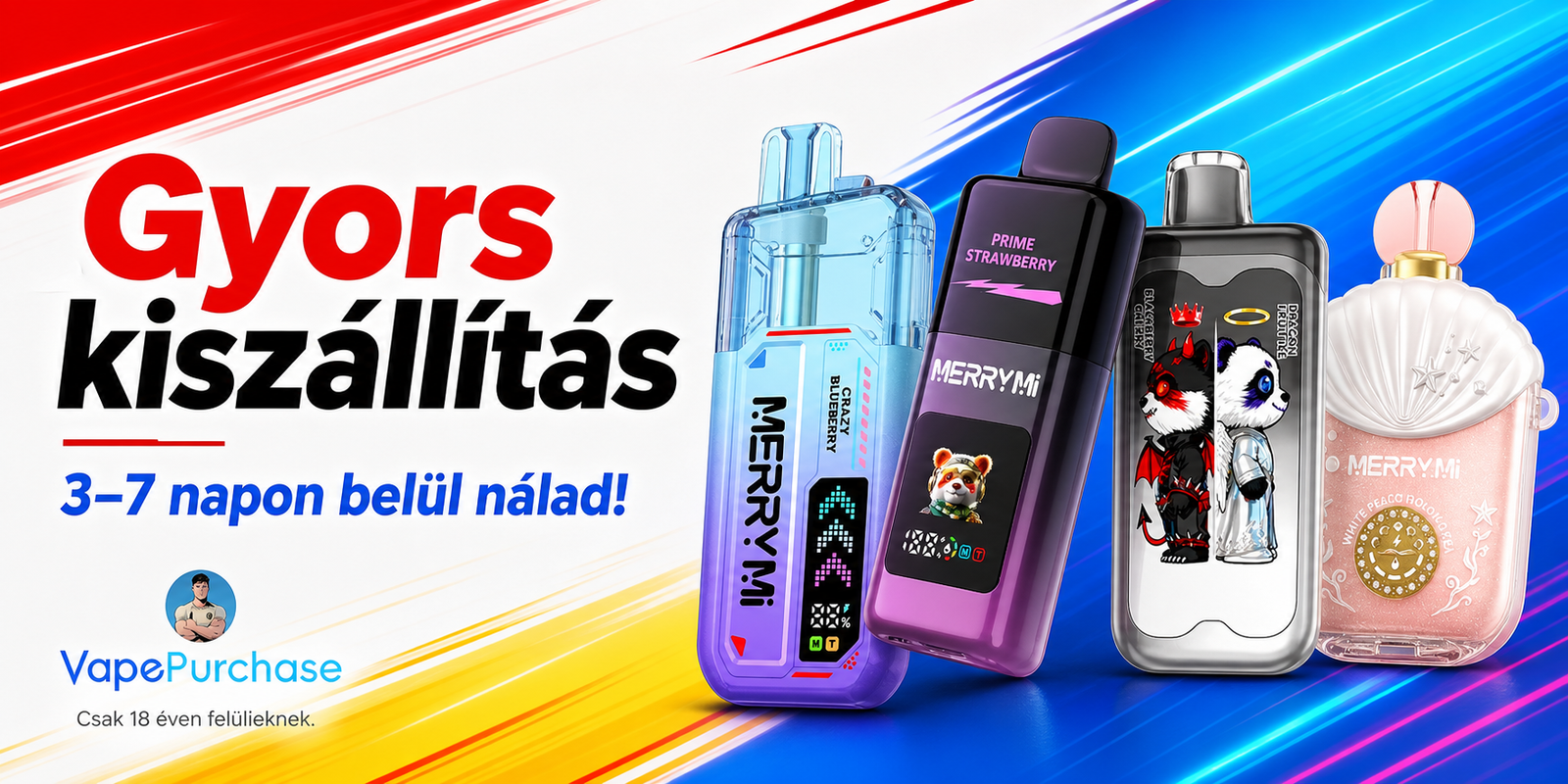
A few models in our range show how much the display can vary. The Merry Mi Mecha Pro 35000 uses a smart display with Normal and Turbo modes. The Merry Mi Mecha X 36000 has a 1.2-inch HD display that lets you follow both the battery and the e-liquid status. The Airmez Fox 2 in 1 80000 uses a smart LED display for the battery and the liquid level as well.
You will find the Mecha models in our Merry Mi Vape collection, and more display and adjustable models in the full vape range.
Ordering information
Shipping terms and expected delivery times are set out on our shipping information page. Once a parcel has left the warehouse you can check its progress with the track your order page, using the tracking number we send by e-mail. The VapePurchase home page carries the current range and the most important buying information.
We ship from our warehouse in Budapest to the UK, Ireland and the rest of Europe. Delivery inside Hungary takes 3–7 working days and delivery abroad takes 5–10 working days, shipping costs 7,40 € (2 700 Ft), and shipping is free on orders over 110 € (40 000 Ft). Cash on delivery is the default payment method, and online payment can be arranged with our team before you place the order. Unopened items can be returned within 7 days.
Important: electronic cigarettes and nicotine-containing products are intended for adult users aged 18 or over only, and nicotine is addictive.
Frequently asked questions
Why is the battery icon flashing?
Most often it signals a low charge. On some models it can also point to a connection or operating fault. Charge the device as instructed, and if the symbol keeps flashing afterwards, check the guide for your specific model.
How accurate is the e-liquid display?
It is indicative rather than exact. It helps you follow how quickly the liquid is going down, but it does not replace a look at a clear tank or the manufacturer’s description.
Can the puff counter be reset?
That depends on the model. Some counters restart automatically, some can be reset by hand, and some cannot be reset at all. The product page or the instructions will tell you which type you have.
What should I do if I do not recognise an icon?
Check the product page or the manufacturer’s instructions first. Our FAQ page answers the more general questions about buying, charging and delivery.
Does the display show how many puffs are left?
No. It shows what the device has counted or what the liquid estimate suggests. The number of puffs remaining depends on how you use the device, so no display can give you an exact figure.
Still not sure what your display is telling you?
Send us a description of the icon, the model name and what the device is doing, and we will help you work out whether it is a normal mode, a low charge or something that needs attention. Message us on WhatsApp at +852 66264532 or e-mail vapepurchase7@gmail.com, and we will answer as quickly as we can.
Nicotine products are for adults aged 18 or over only, and nicotine is addictive. Do not use a device that is damaged, leaking, unusually warm or producing a burnt taste.